
How to Adjust Audio Quality in BlackHole Music App?
Many people want to change their music sounds, like how you choose video quality on YouTube. But most music apps like Spotify or Deezer don’t let free users change the audio quality.
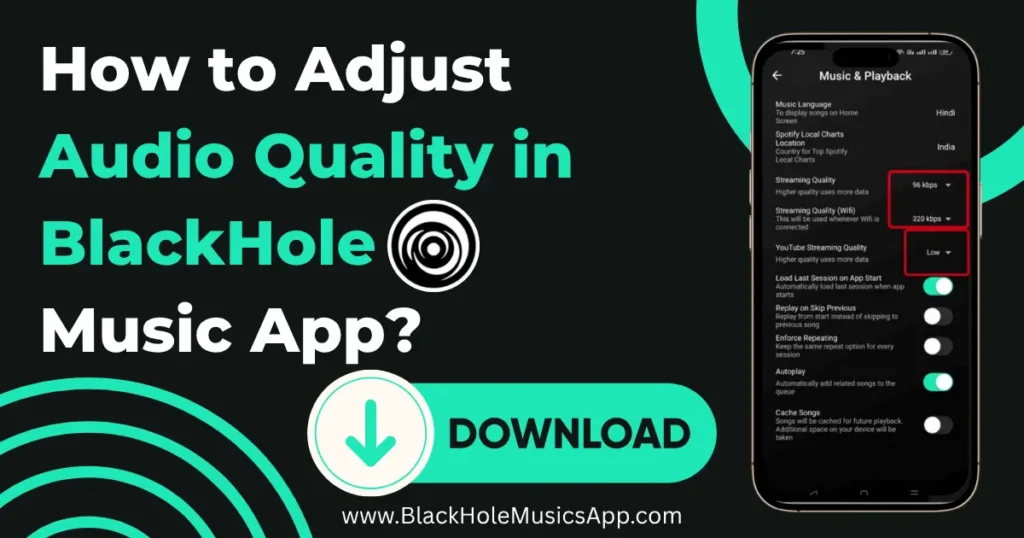
The BlackHole Music App is different because you can adjust audio quality in BlackHole Music App to the sound quality that you prefer. If you want to save mobile data, you can pick lower quality, or if you want rich, clear sound, you can choose high quality.
This is great for people who listen to music in different places, like using low quality while traveling to save data, or high quality at home on Wi-Fi.
What is the Maximum Audio Quality BlackHole Music Offers?
Free apps like Spotify Free or YouTube Music only play music at 96 kbps. Low audio quality makes music sound dull and unclear. Many free apps only give you lower sound quality.BlackHole Music lets you listen in 320 kbps for free.
This is the same high quality that Spotify Premium offers to paid users. With 320 kbps, your music sounds sharp, clear, and full of detail. You can enjoy it on headphones or speakers. You can also download songs in high quality to listen to offline.
Also Check Out: How to Download BlackHole Music App for iOS
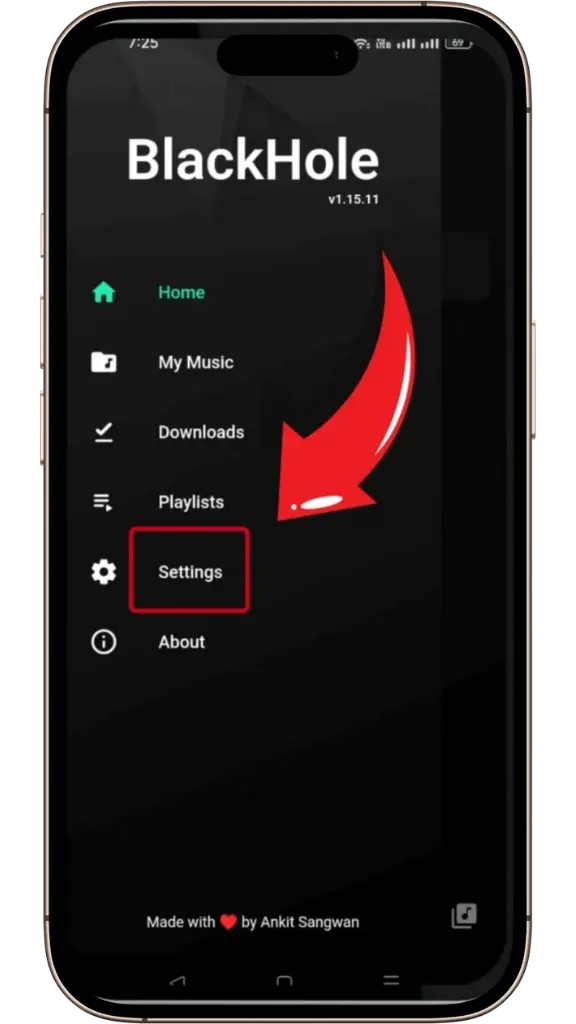
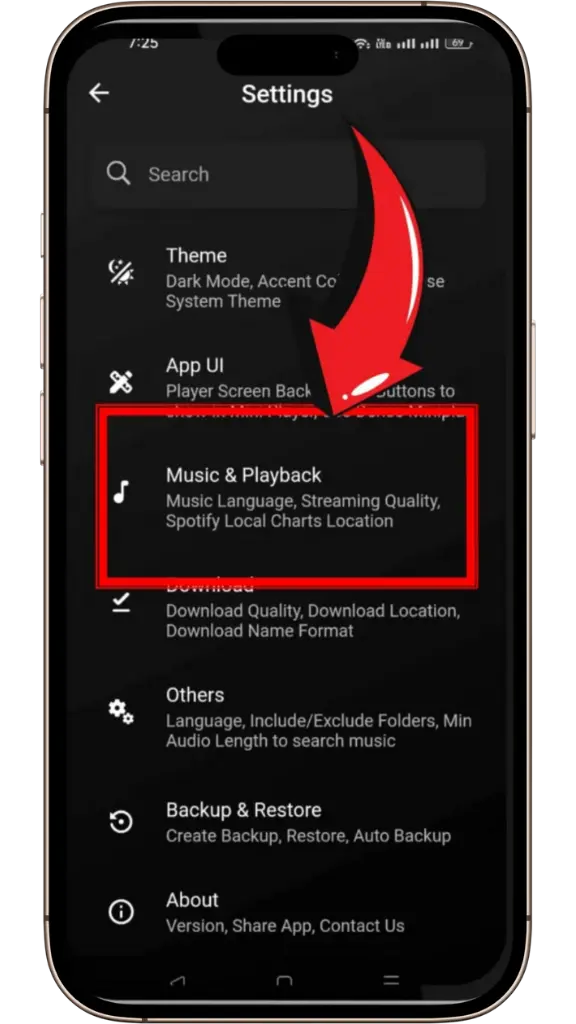
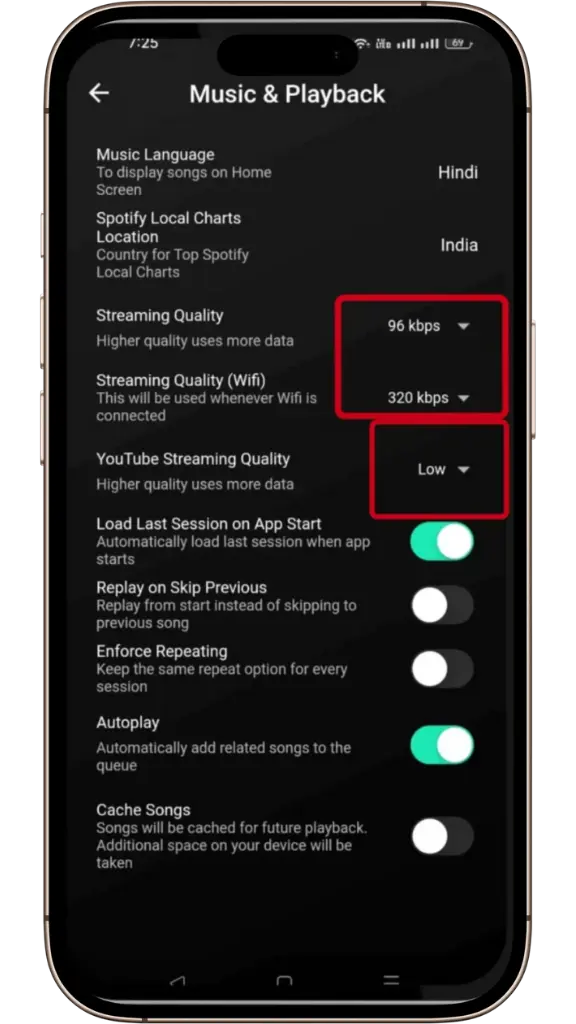
How to Change Audio Quality in BlackHole Music?
In the BlackHole Music app, it is easy to change the audio quality. Just remember that you can’t set a different quality for each song; it changes for all the music you play.
Conclusion
BlackHole Music makes it easy for users to enjoy music in the sound quality they prefer. Unlike many other free apps, you can choose high-quality audio without paying extra.
Whether you’re saving data on the go or listening in top quality at home, BlackHole Music gives you control over your listening experience.